A cluttered setup doesn’t just look bad — it can interfere with performance, comfort, and even your focus during intense sessions. If you’re searching for practical, effective ways to improve your gaming desk cable management, this guide is built to give you exactly that: clear, actionable steps that transform chaos into a clean, optimized battle station.
Gamers often struggle with tangled cords, limited desk space, overheating hardware, and accidental unplugging mid-match. We’ve tested multiple desk configurations, analyzed popular streaming setups, and reviewed proven hardware organization techniques to identify what actually works — not just what looks good in photos.
In this article, you’ll learn how to route cables efficiently, choose the right mounting tools, minimize visual clutter, and maintain easy access for upgrades. Whether you’re running a single-monitor setup or a full multi-display rig, these strategies will help you create a streamlined space that supports peak gaming performance.
Behind every high-end gaming rig lurks a mess of tangled HDMI cords, power bricks, and USB snakes—the dreaded cable spaghetti that sabotages an otherwise pristine battle station. It’s not just cosmetic. Dust buildup can raise internal temps by up to 7°C, according to PC maintenance studies, and restricted airflow directly impacts GPU performance.
Messy setups also cause:
- Harder upgrades and longer troubleshooting
- Increased wear on bent or pinched cables
Some argue chaos “doesn’t affect frames.” Technically true—until overheating throttles hardware.
This guide delivers a step-by-step system for gaming desk cable management that turns clutter into performance-focused command center.
Performance & Aesthetics: Why Tidy Wins
In competitive setups from Seoul PC bangs to North American LAN basements, airflow isn’t just tech talk—it’s survival. When cables are bundled behind your tower, they can block rear exhaust fans, trapping hot air and forcing thermal throttling (that moment your GPU quietly downshifts mid–boss fight). During ranked matches in Apex or late-game Valorant clutches, a few lost frames matter. Clean routing improves circulation and keeps temps stable.
The durability factor is just as real. Unmanaged cords snag on chair wheels, fray at sharp desk edges, and strain motherboard headers. Over time, that stress weakens connection ports and shortens hardware lifespan. Pro tip: use Velcro ties instead of zip ties to reduce cable pinch.
Then there’s mental clarity. A streamlined desk reduces visual noise, helping you focus on callouts—not chaos. Order outside, precision inside.
And yes, the flex factor counts. Pristine gaming desk cable management turns your battlestation into stream-ready eye candy (RGB glow hits differently when nothing dangles).
Your Cable-Taming Toolkit: Essential Gear for a Clean Sweep
A cluttered setup isn’t just ugly—it traps dust, tangles peripherals, and makes upgrades a chore. Here’s the gear that actually works.
The Basics (Non-Negotiable)
-
Velcro Cable Ties: Reusable, adjustable, and forgiving. Unlike single-use zip ties, they won’t bite into your cables if you overtighten (which can damage insulation over time, according to UL wiring safety guidance). Pro tip: loop them loosely so cables can breathe and shift naturally.
-
Cable Sleeves vs. Raceways: Sleeves bundle multiple cables traveling together—perfect for a monitor + power + HDMI combo. Raceways, on the other hand, mount along walls or under desks to hide cables completely. Think sleeve = organize; raceway = conceal.
Level-Up Your Gear
-
Adhesive Cable Clips: Ideal for routing mouse or keyboard cables along hidden edges. Place them under the desk lip for invisible control.
-
Under-Desk Cable Tray or Net: The MVP of gaming desk cable management. It lifts power strips and bulky bricks off the floor, reducing dust buildup and accidental unplugging.
For more performance-focused organization, check out audio setup tips for immersive and tactical advantage.
What to Avoid
Skip brittle plastic clips and overly aggressive adhesives. They crack, peel paint, and leave residue (the “why did I do this?” moment). Invest once—your setup will thank you.
The 5-Step Takedown: Your Methodical Path to Cable Zen
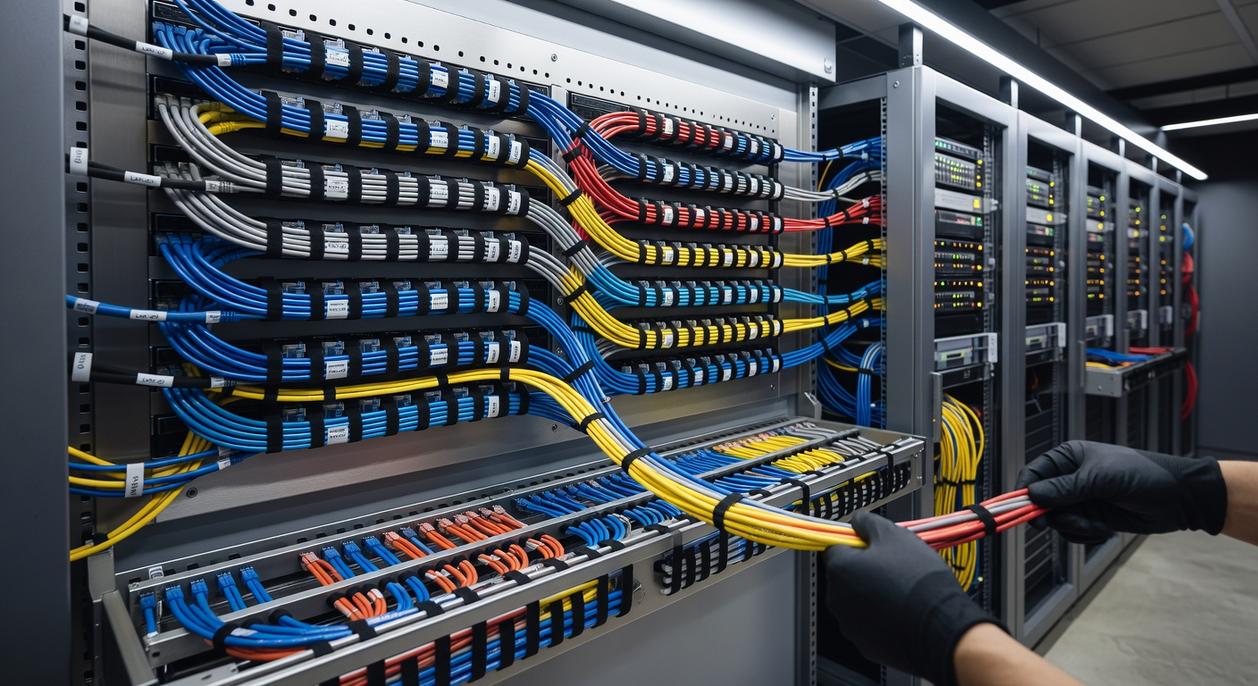
Step 1: The Great Unplug (50 words)
First, embrace the blank slate. Unplug everything. Yes, everything. Lay each cable out where you can see it. This isn’t chaos—it’s inventory. Starting fresh beats working around a live spaghetti monster (we’ve all been there). Think of it like resetting a skill tree before rebuilding smarter.
Step 2: Position & Plan (75 words)
Next, lock in your battlefield layout. Place your PC, monitors, speakers, and consoles exactly where they’ll live. A vs B: guessing positions now means re-routing later; deciding firmly now saves hours. Then group cables by destination—monitor cables together, peripherals together, power cords together. In other words, organize by endpoint, not by cable type. This simple shift prevents crossover clutter and keeps your layout intentional rather than reactive.
Step 3: Mount the Power Core (75 words)
Now anchor the system. Secure your surge protector beneath the desk using a tray or heavy-duty adhesive strips. Tray vs adhesive? Trays offer stability and airflow; adhesive is quicker but weight-limited. Choose based on load. This mounted strip becomes your central hub—the “base camp” for every connection. By elevating it off the floor, you eliminate dangling drops and make vacuuming easier (future you will be grateful).
Step 4: Route & Bundle (100 words)
Here’s where precision wins. Start with the thickest cables first—power and display lines. A vs B again: route thick cables first and smaller ones tuck in neatly; do the reverse and you’ll constantly redo paths. Run them along desk edges or behind supports using raceways or sleeves. Whenever two or more cables travel parallel, bundle them with Velcro ties every 6–8 inches. Velcro vs zip ties? Velcro is adjustable; zip ties are permanent (and slightly unforgiving). Keep lines tight to surfaces and avoid crossing paths unnecessarily. This is the backbone of gaming desk cable management done right.
Step 5: The Final Connections (50 words)
Finally, reconnect with intention. Leave just enough slack for monitor arm movement or keyboard shifts—no dramatic cable loops. A little flexibility prevents strain; excess invites mess. Use adhesive clips to guide the last visible inches of mouse or keyboard cables. Clean, controlled, and quietly satisfying.
Remember the before picture: cable spaghetti spilling off the desk, dust clinging to every coil, airflow blocked like a dungeon choke point. Now look at it. Clean lines. Clear vents. Every device powered with purpose. That’s not just aesthetic; it’s performance.
Some gamers argue that once it’s tidy, the job’s done. Others say perfection is overkill—frames won’t magically jump. Fair. Cable management alone won’t turn you into a speedrunner. However, improved airflow reduces heat buildup, and excess heat shortens component lifespan (see U.S. Department of Energy guidance on electronics cooling). In other words, neat cables help your GPU breathe.
That’s why gaming desk cable management matters. It protects your hardware and makes future upgrades painless. Swap a GPU without tracing mystery wires? Yes, please.
For long-term success, follow the “One In, One Out” rule. Add a new mic? Route its cable immediately. Remove a capture card? Pull the cable completely. No abandoned cords, no creeping chaos.
If you’re skeptical, start small. Tackle just your monitor power and display cables. That quick win builds momentum (think of it as your tutorial level). Soon, the whole setup follows. Order isn’t obsessive; it’s strategic. Your rig deserves it. Long term stability.
Level Up Your Setup and Your Play
You came here to figure out how to optimize your gaming setup, sharpen performance, and eliminate the small frustrations holding you back. Now you understand how mechanics, multiplayer dynamics, genre shifts, and smart configuration tweaks all connect to one thing: better results in-game.
Lag, clutter, poor ergonomics, and unoptimized settings aren’t minor annoyances — they’re silent performance killers. When your space and system fight against you, your focus slips and your edge disappears.
That’s why dialing in your setup matters. From sensitivity calibration to gaming desk cable management, every detail compounds into smoother gameplay, faster reactions, and longer, more comfortable sessions.
Now take action. Audit your current setup today. Tweak your in-game settings. Clean up and optimize your desk layout. If you’re serious about playing at your peak, don’t settle for “good enough.” Stay locked in with the latest gaming insights and proven optimization strategies trusted by competitive players who refuse to fall behind.
Your next win starts with what you fix right now.